Create your KuCoin API key
About 3 minutes. You'll make a key with General permission only - it can read your trades but can never place orders or withdraw. Then paste three values here.
What you'll give us at the end
API Key
Public identifier shown by KuCoin.
API Secret
Shown once - copy it immediately.
API Passphrase
The phrase you chose in step 3.
- 1
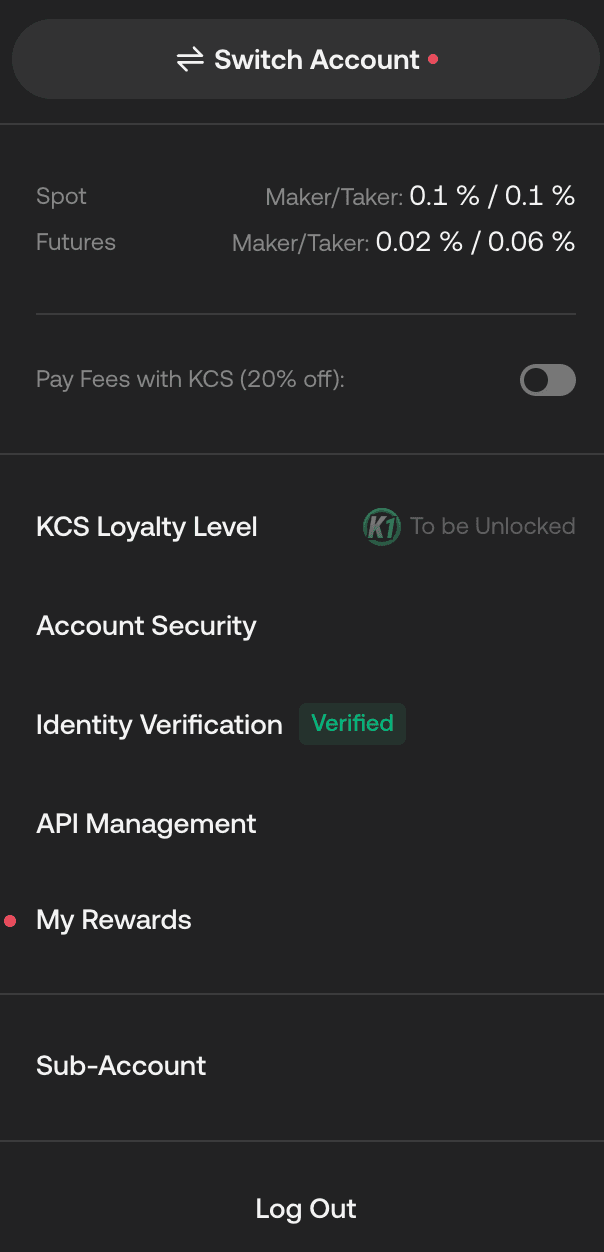
Open your profile → API Management
Log in to KuCoin. Tap your profile in the top-right (on the app it's your account tab), then choose “API Management”.
- 2
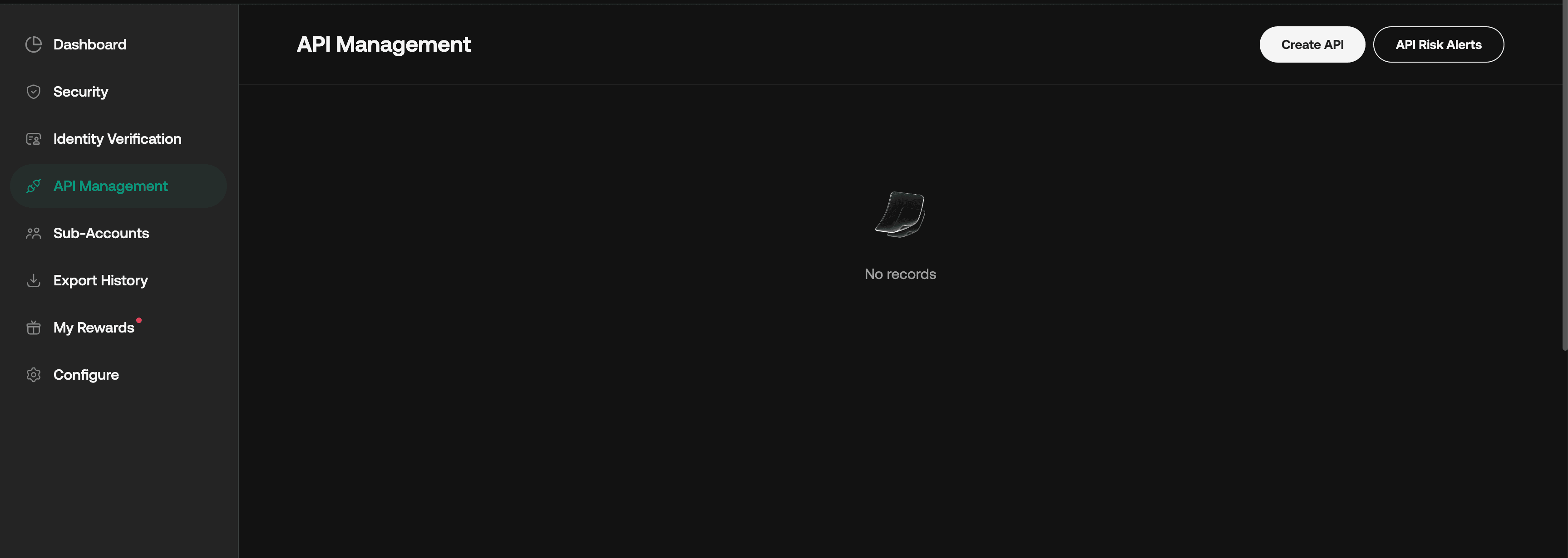
Click “Create API”
On the API Management page, click the “Create API” button in the top-right. When asked, choose “API-Based Trading”.
- 3
Name it, set a passphrase, keep GENERAL only
Give the API any name (e.g. “NexeraTrade”). Create an API Passphrase - you invent this, so write it down. Then, under API Restrictions, tick GENERAL only and leave everything else (Spot/Margin/Futures Trading, KuCoin Earn, Withdrawal, Unified Account) unchecked.
GENERAL is read-only. With only General selected, no one - including us - can place trades or withdraw. We can only read your trading volume.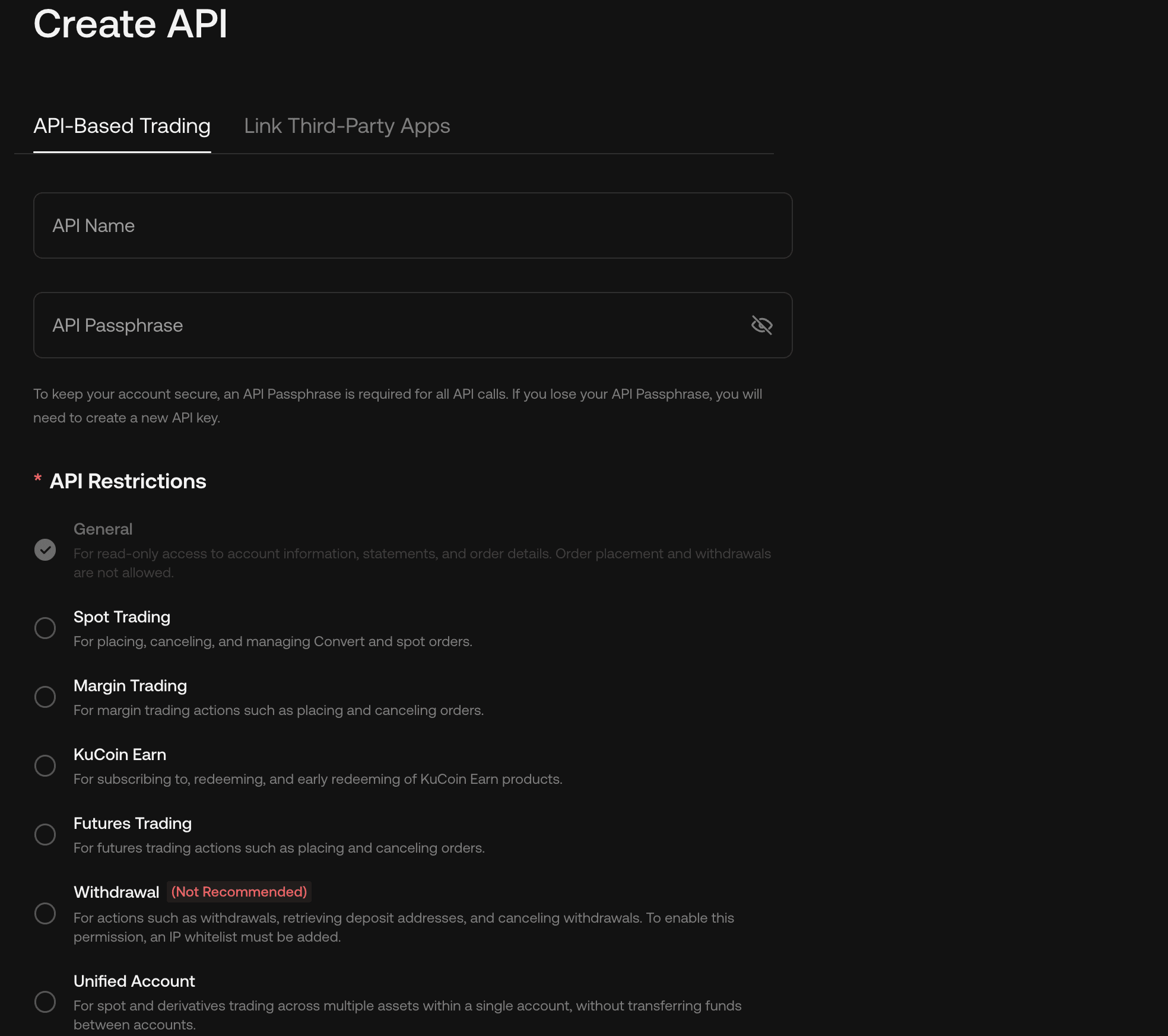
- 4
Set IP restriction, then Next
Scroll to IP Restrictions. For the safest setup choose “Restrict to Trusted IPs Only” and add our server IP (we show it on the connect screen). Click Next and complete KuCoin's security verification (2FA / email / SMS).
“Unrestricted” also works if you're unsure, but whitelisting our IP makes the key useless to anyone else - recommended.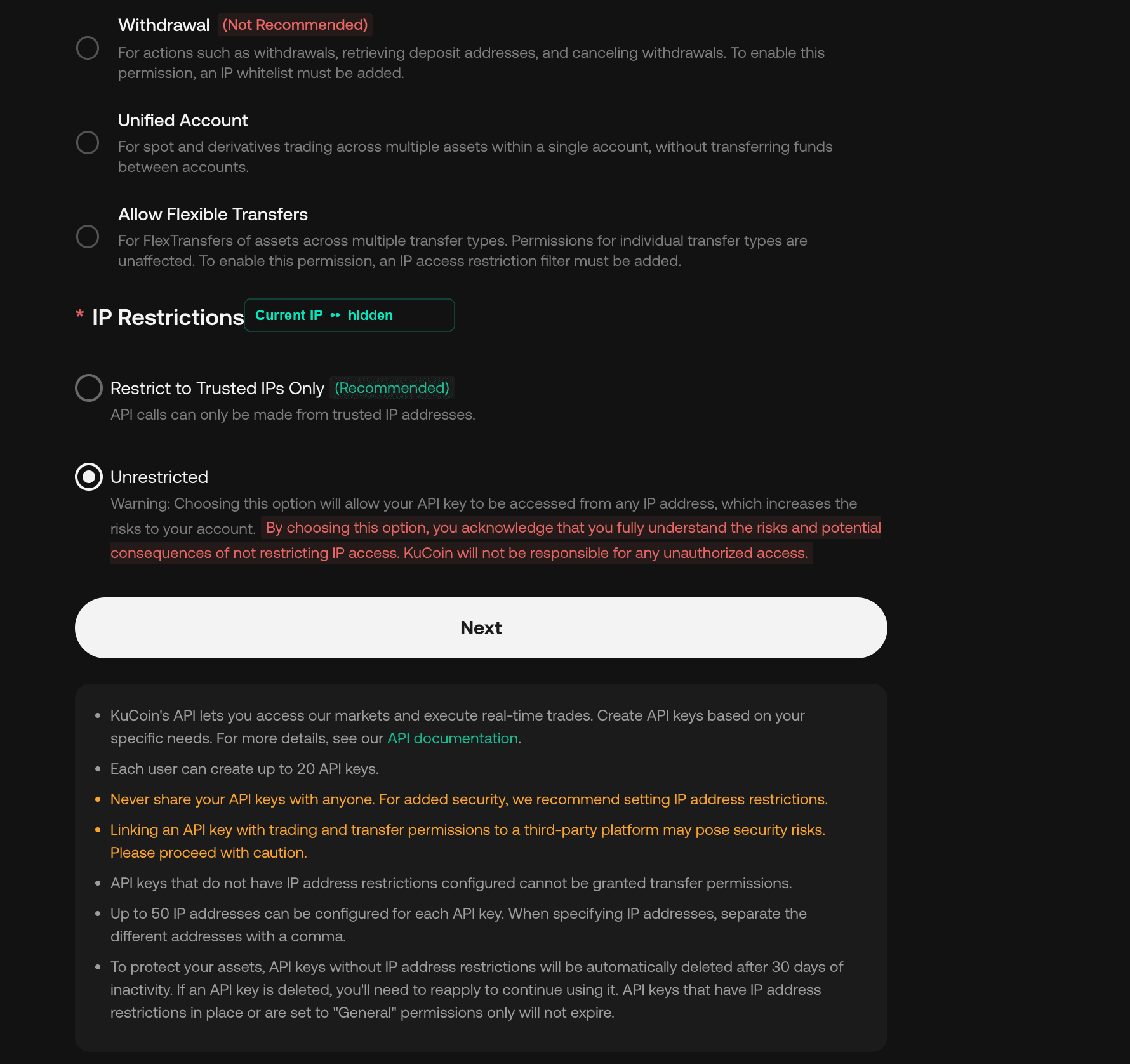
- 5
Copy your Key, Secret & passphrase
KuCoin now shows your API Key and API Secret. Copy both - plus the passphrase you chose in step 3. Notice it confirms “API Restrictions: General”, exactly what we want.
The API Secret is displayed only ONCE. Copy it before clicking Confirm - if you lose it you'll have to create a new key.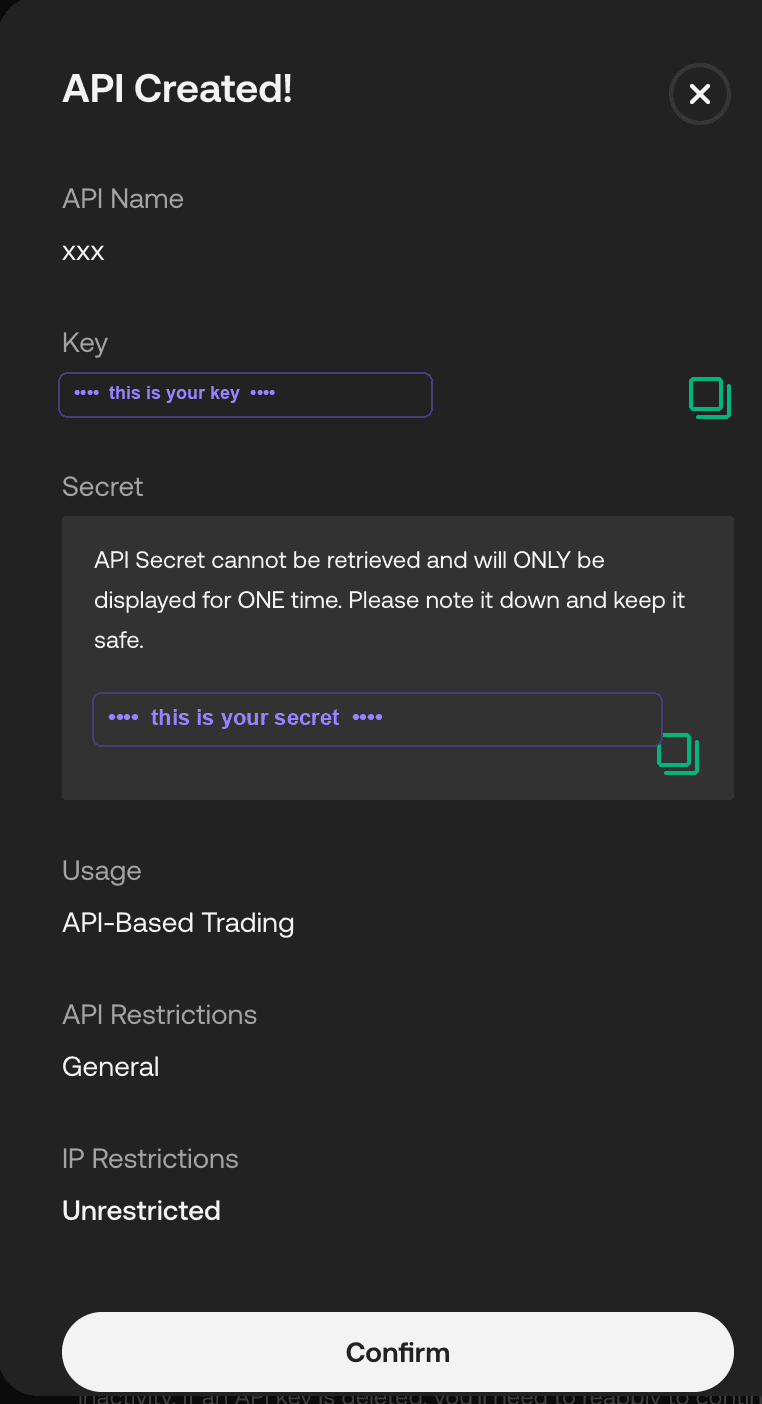
- 6
Connect it here
Come back and paste your API Key, API Secret and Passphrase on the connect screen. We instantly verify the key is read-only, encrypt the secrets, and start tracking your NXRA volume.
Got your three values?
Register (or sign in) and connect your read-only key. We'll verify it's read-only before storing anything.
Continue to registration